Ask for guest photos without turning your wedding into an assignment. Adapt these messages to your album, audience and real upload deadline.
Replace the placeholders before using any message
A good wedding photo request answers four questions: whose celebration is this, what would you like guests to share, where should it go, and who will see it? It does not need a product tutorial. Start with the couple's names, use the actual private invitation link, and describe the album audience accurately. Replace [names], [private album link], [contact] and [date/time] everywhere they appear. Printed cards need a working QR code rather than a written placeholder.
Before promising browser upload, confirm that it is enabled for the event. In EVENTY, that guest route asks for a display name and the event acknowledgement; the organizer uses the mobile app to manage the album. Check that uploads are open and that any deadline matches the album's real availability. These are messages you can send yourself, not scheduled reminders or an automatic sending feature.
Before the wedding: introduce the album gently
Send the album information through the private invitation channel guests already expect. A few days before the wedding can be a useful moment if you are already sharing practical details. You do not need a separate campaign of messages. Keep travel, arrival and accessibility information easy to find; the photo request should not bury them. Explain that contributions are welcome without asking anyone to plan their day around a camera.
Warm version: ‘We can't wait to celebrate with you! If you take a few photos you'd like to share, we'd love to see the day through your eyes. Our wedding album is here: [private album link]. Please keep the link within our invited guests. Joining in is completely optional. With love, [names].’
Short version: ‘One place for our wedding memories: [private album link]. You're welcome to add a few favorite photos from the day. Please share only pictures you and the people in them are comfortable including. [names].’ Add a sentence about browser access only after you have tested it for this event.
On a QR table card: make the invitation readable
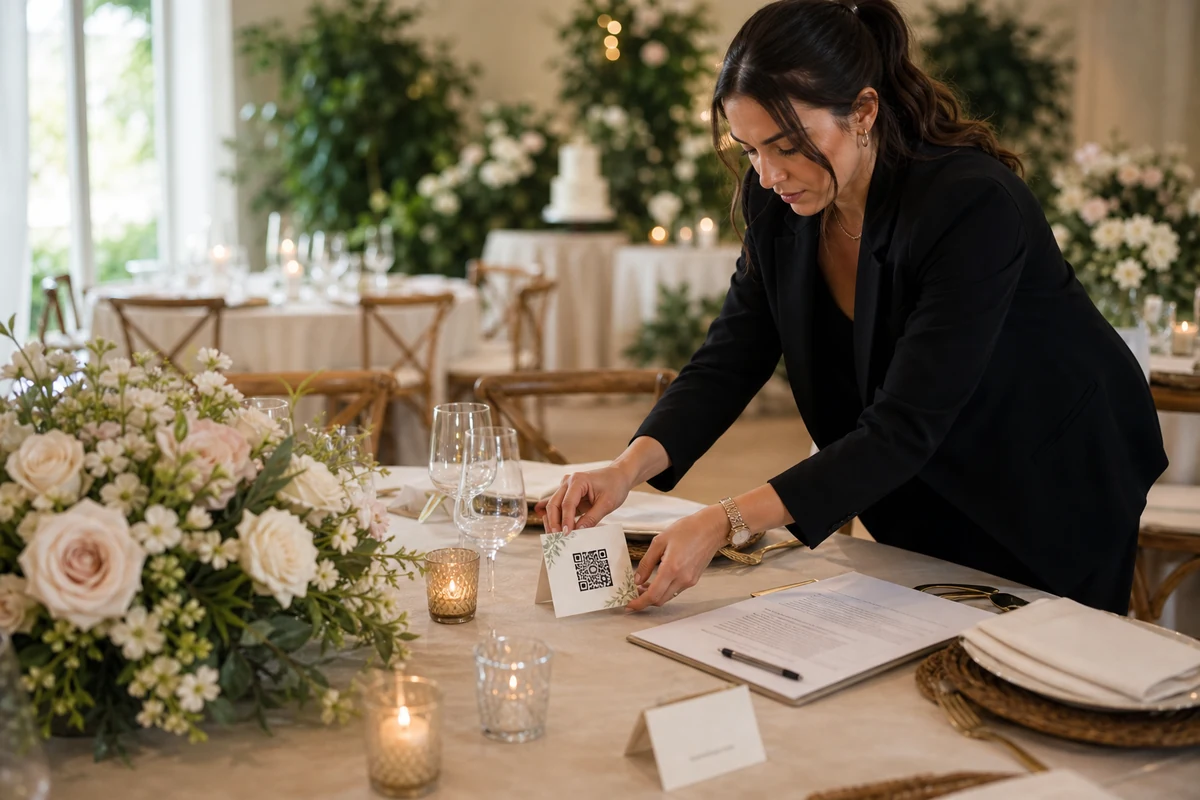
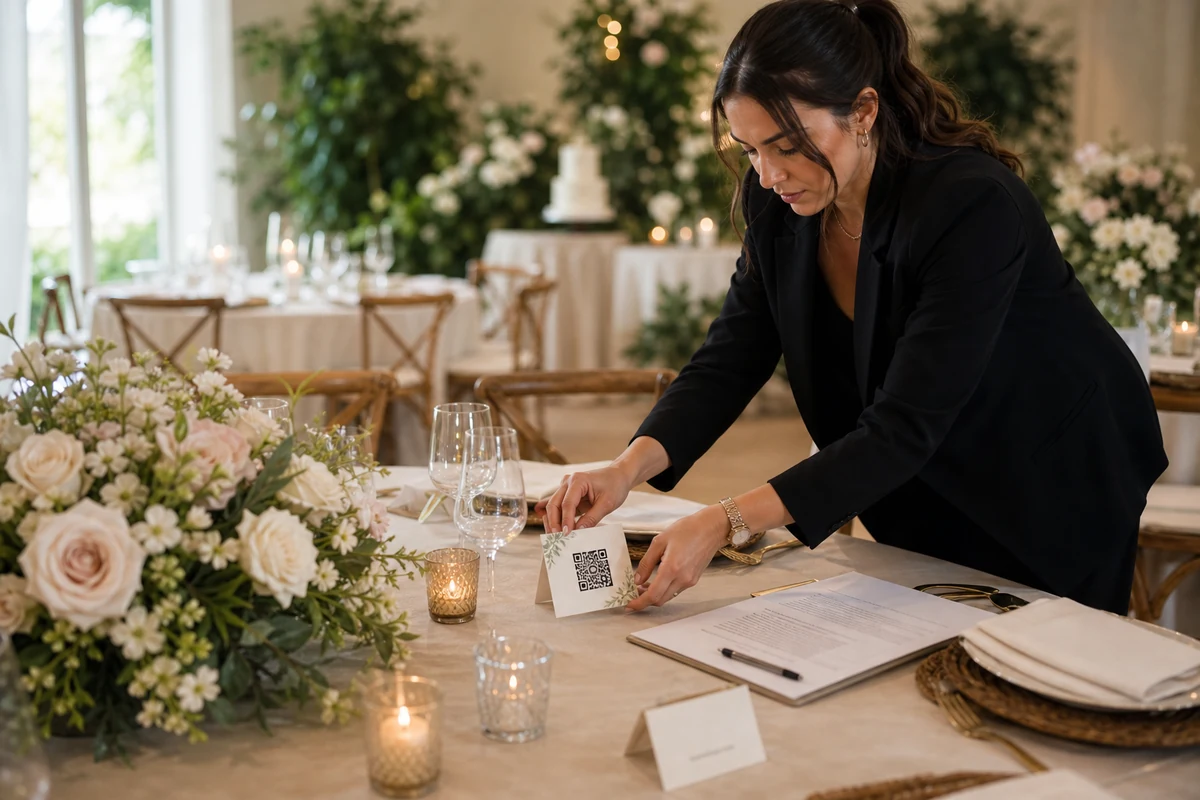
A table card has less room than a message. Use a short headline, one clear action and the couple's names. Keep decorations away from the QR code and print a proof before the full run. The card should be readable from the seat where a guest will use it. A beautifully styled paragraph that cannot be read beside a glass and a candle is less useful than a plain, brief invitation.
Friendly wording: ‘Your view of our day. Scan to add a few wedding photos to our private album. [names].’ Quieter wording: ‘A memory to share? Scan for our wedding album. Contributions are welcome, never required. [names].’ If the album is shared with invited participants, make that audience clear; ‘private’ should not suggest that only the couple can see it when that is not how you have configured it.
Keep the longer privacy explanation on the invitation or album entry rather than squeezing it into tiny print. Have the link ready on a trusted person's phone for guests who cannot scan the card. A usable alternative is more considerate than repeating ‘just scan’ to someone having difficulty.
During the reception: one short announcement is enough
Ask the MC or someone close to the couple to mention the album at a natural pause. Avoid interrupting vows, speeches, a meal being served or a moment guests should simply enjoy. The announcement is an invitation to contribute later if they wish. It is not a request to keep their phones raised throughout the evening. Printed prompts can stay available without repeated announcements.
MC wording: ‘[Names] would love to keep a few memories from your side of the celebration. If you've taken photos you'd like to share, the QR cards on the tables open their wedding album. Add them whenever it suits you, and please check that the people pictured are happy for you to share. Thank you—and enjoy the evening!’
A message for a private guest chat can be shorter: ‘The wedding album link is here if you'd like to add a few photos: [private album link]. Please wait for the upload confirmation before closing the page. No rush to do it during the celebration.’ Use the last sentence only while the checked upload window still leaves time afterward.
The day after: lead with the thank-you
The best follow-up starts by acknowledging the people who were there. Ask for a small selection rather than every file on their phones. A few ordinary details—a shared laugh, family at the table, a quiet moment before the dancing—may matter more than another attempt at the formal portrait. Guests can choose what they are comfortable sharing, and you can review the collection afterward.
Warm version: ‘Thank you for making yesterday so special. We're still smiling about it. If you have a few photos you'd like us to keep, you're welcome to add them here: [private album link]. Candid moments and little details are very welcome. Please keep the album link with our invited guests. With love, [names].’
Minimal version: ‘Thank you for celebrating with us. We'd love a few of your favorite photos from the day: [private album link]. Sharing is optional, and it's completely fine if you don't have any. [names].’ If the organizer reviews photos before they appear, add: ‘Some contributions may appear after we review them.’ Do not promise instant visibility when that setting is in use.
If there is a deadline: say why, once
A real closing date can help someone who meant to contribute but forgot. Check the album's upload window, date and time before sending it. Distinguish adding new photos from viewing or keeping pictures already collected; do not imply that everything disappears when uploads stop. If you have not confirmed the relevant time zone, use a clear local description instead of an ambiguous midnight.
Deadline wording: ‘We're bringing our wedding photo collection together this week. If you've been meaning to add a few pictures, the album is accepting uploads until [date/time and time zone]: [private album link]. Thank you for the memories you've already shared. No need to reply if you have no photos or prefer not to contribute. [names].’
Send this as a gentle final note, not a countdown every day. Avoid invented urgency such as ‘last chance’ unless it describes the actual album state. If the link no longer accepts uploads, fix the available route before sending another request rather than asking guests to keep trying the same closed page.
Give privacy questions and access problems a calm answer
Include a short privacy line appropriate to your settings: ‘This album is for [the couple / invited participants]. [Organizer name] manages it. Please ask before adding sensitive moments or pictures someone would not want shared. For a removal question, contact [contact].’ Choose one audience; do not publish both alternatives. A polite request is not a substitute for deciding who can actually access the album.
For a guest who cannot open the link: ‘Thanks for letting us know. Please tell [contact] what message appears, without forwarding the private link publicly or sending personal photos into a support thread. We'll check the invitation and upload window.’ For a guest who does not want to participate: ‘Of course. Thank you for celebrating with us—that's what matters.’ No explanation should be required from them.
If a guest privately offers a photo, agree on whether it is for the couple alone or may join the shared album before moving it. Never assume that sending a picture in a personal conversation gives permission to show it to every invited participant.
Do one rehearsal before sending or printing
Open the exact invitation on a guest phone, confirm the event name, add a suitable test photo and wait for the receipt. Check whether it appears immediately or awaits review, and make sure your message describes that result. Read the text aloud; if it sounds like an instruction manual, remove a sentence. For two-language weddings, keep each version equally clear rather than making one a shortened afterthought.
Then check the printed QR proof and the private message link separately. Keep one trusted helper informed, remove the rehearsal photo if appropriate, and leave the album invitation easy to find. The aim is a warm request with a reliable destination. Your guests are there to share the day with you; the photo collection should support that experience.
FAQ
What should a wedding QR code card say?
Use the couple's names, a short invitation and one action: ‘Your view of our day. Scan to add a few photos to our wedding album.’ Explain the intended audience in readable wording and check the printed QR code before ordering the cards.
How do we ask for wedding photos without sounding demanding?
Thank guests first, ask for a few photos they would like to share, and make participation optional. Avoid requiring every guest to upload or sending repeated requests to people who have not contributed.
Can these messages be sent automatically by EVENTY?
These are copy-and-adapt examples for messages and printed materials you choose to send or prepare. They do not describe an automatic or scheduled guest-message feature. Check the invitation link and album availability before using them.
Should we include an upload deadline?
Include one when the album's actual upload window makes it relevant, with a clear date, time and time zone. One gentle reminder is enough. Do not invent a deadline or imply that viewing and downloading end at the same moment unless you have checked that too.
Give your invitation one clear destination
See the EVENTY guest contribution flow, then adapt the message to your wedding and album settings.